How to Put Yourself in GTA 6 Club Scenes with AI Video
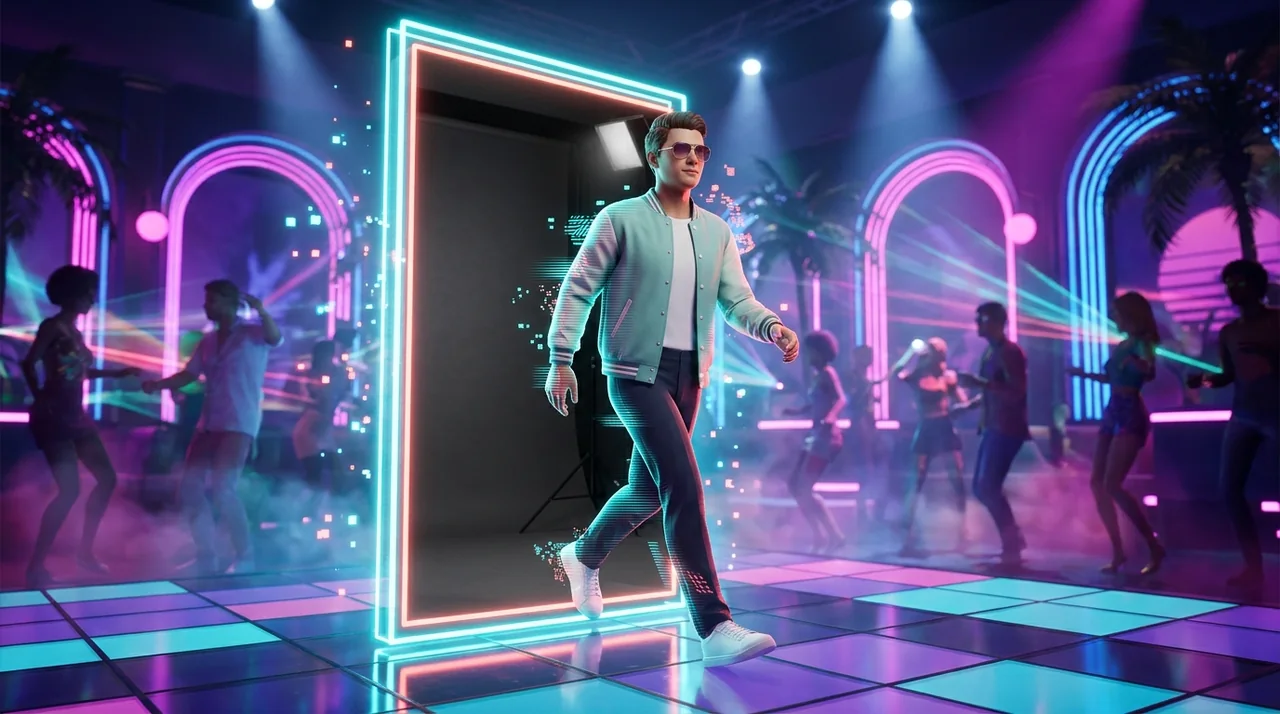
Searching 'put yourself in GTA 6' used to leave creators stuck with static cartoon photo filters. With ByteDance Seedance 2.0 Image-to-Video, a single clean front-facing portrait transforms into a stylized 5-to-8 second Vice City neon nightclub dance cutscene complete with camera dolly movement and synchronized club audio.
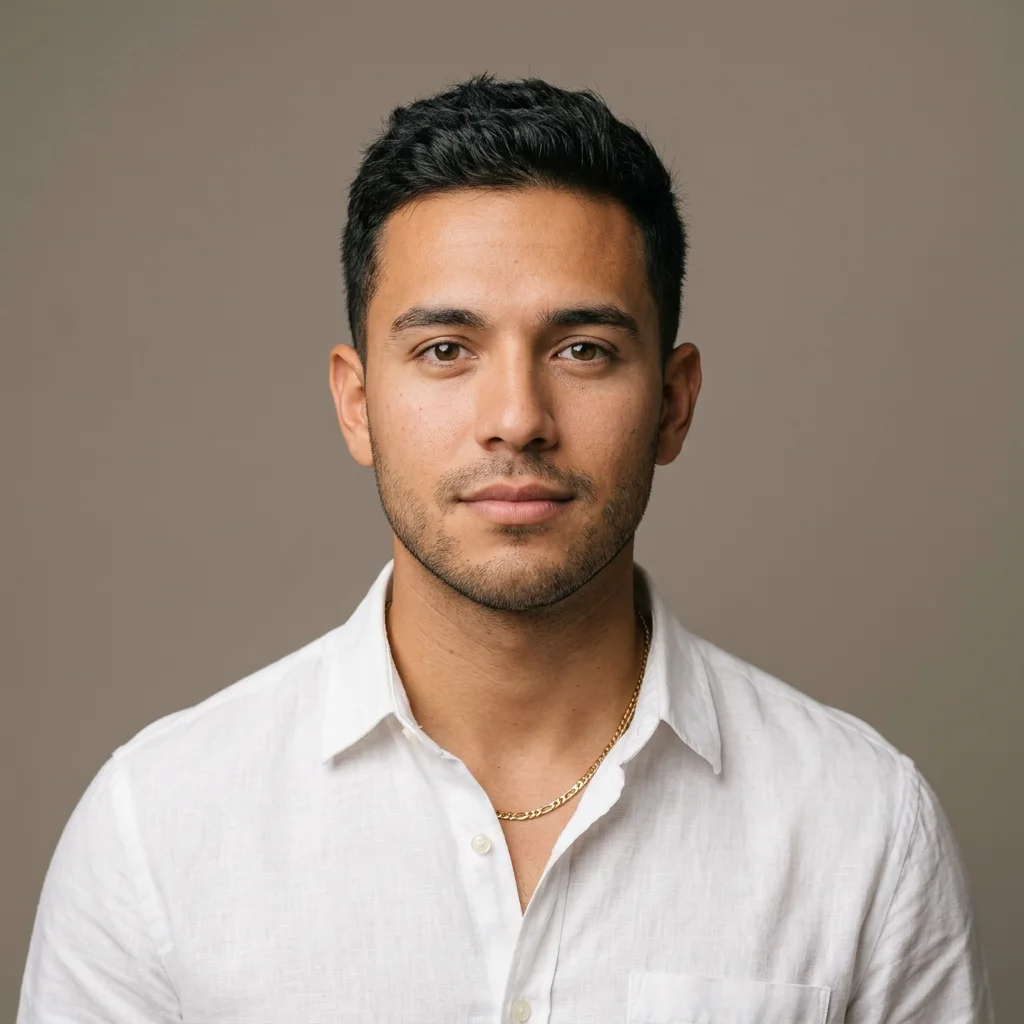
Best results: one adult subject facing the camera in even lighting, head and shoulders visible. Clothed PG-13 game-cinematic scenes only.
This clip: 30 credits (HD 720p · 8s) · 6 HD clips/mo on Pro ($39.90 / 200 cr), or 20 standard 480p clips/mo (10 cr each). Compare all 13 plans
Why Animated GTA 6 AI Cutscenes Outperform Static Photo Filters
Static "GTA photo filters" peaked years ago — audiences scroll past still cartoon selfies in half a second. What stops thumbs on TikTok, Instagram Reels, and group chats today is seeing a recognizable portrait step inside a living Vice City nightclub, move naturally to a pulsing 116 BPM synthwave beat, and catch real-time magenta and cyan rim lights as the camera glides inward.
Because our studio combines server-tuned Seedance 2.0 Image-to-Video templates with native audio generation, you do not need green screens, mocap suits, or video-editing software. One well-lit portrait photo and one preset click handle character relighting, neon club architecture, choreography, and sound design together.
5-Point Portrait Checklist Before You Upload
Great inputs create jaw-dropping identity preservation. Before clicking generate, run your photo through our free browser-local 9:16 Portrait Cropper & Readiness Checker to verify all five criteria:
| Check | Ideal Portrait Input | What Hurts Identity Stability |
|---|---|---|
| Angle & Framing | Front-facing head and shoulders centered in frame | Extreme side profiles or heavily tilted selfies |
| Lighting | Even daylight or soft indoor light across both cheeks | Harsh overhead shadows or pitch-dark bar flash photos |
| Subject Count | One clear consenting adult (18+) | Crowded group shots where AI guesses which face to animate |
| Resolution | At least 720px wide, crisp eyes and hairline | Heavily compressed screenshots under 400px |
| Attire & Compliance | Clothed streetwear, jacket, or party outfit (PG-13) | Explicit/NSFW photos (blocked automatically before rendering) |
Step-by-Step: Putting Yourself in a Vice City Club Cutscene
- Prep locally (30 seconds, free): Crop and score your selfie in the 9:16 Portrait Cropper so your face sits cleanly inside the dashed head-and-shoulders safe zone.
- Upload to Image-to-Video Studio: Open the studio above or visit Image-to-Video and drop your clean JPG, PNG, or WebP file (up to 5 MB).
- Pick your Vice City club preset: Choose Neon VIP Lounge for moody magenta-cyan velvet booths, Ocean Drive Rooftop for coral Miami twilight, or Cyber Club Floor for laser-grid dance energy.
- Choose camera & resolution: Keep Handheld Dolly-In and 9:16 Vertical for TikTok/Reels. Test a first draft at 480p · 5s (10 credits) or jump straight to our crisp Studio Default HD 720p · 8s (30 credits).
- Render & export clean MP4: Seedance 2.0 delivers a watermark-free MP4 with synchronized audio in roughly 45–90 seconds. If any render fails upstream, credits refund automatically.
Matching Your Outfit to the Best Vice City Preset
Small wardrobe pairings make AI relighting look shockingly cinematic. Dark leather or denim jackets reflect cyan and pink strobes beautifully inside the Neon VIP Lounge; white shirts and light streetwear glow cleanly against the sunset sky of Ocean Drive Rooftop; and sunglasses or metallic accessories pop hard in Trailer Duet Stage.
Want to open your clip with a classic game art card before cutting to your animated dance? Pair your render with a custom PNG from our free GTA 6 Loading Screen Maker.
Privacy, 24-Hour Auto-Delete & Consent Rules
Trust matters whenever you upload a personal portrait. Every uploaded input photo passes through automated fail-closed safety moderation and is automatically deleted within 24 hours — never shared publicly and never displayed in public galleries. Only upload photos of yourself or adults (18+) who gave explicit consent. See full details in our Privacy Policy and Safety & Consent Guide.
Frequently Asked Questions
Do I need an account or password before testing the studio?
You can preview sample clips, test presets, and check exact credit pricing without logging in. When you are ready to pay, use instant guest checkout with your email or sign in passwordlessly with a 6-digit email code.
Will my uploaded portrait stay private?
Yes. Uploaded portraits are used strictly for your render job and automatically deleted within 24 hours. We never publish user uploads to public galleries.
How many credits do I need to make my first HD 8-second Vice City clip?
Our Studio Default HD 720p · 8s clip uses 30 credits — covered cleanly by the $19.90 Duo Pack (30 credits, never expire) or Monthly Basic/Pro plans.
Can I animate a cartoon or GTA-styled avatar instead of a real selfie?
Yes! Generate a stylized poster in our free GTA 6 Loading Screen Maker or upload any clean illustrated character portrait into /image-to-video.
What if my render fails or gets rejected by safety checks?
Your reserved credits are automatically refunded back to your account balance with zero penalty.