Turn Any GTA 6 Loading Screen Art into an AI Club Video
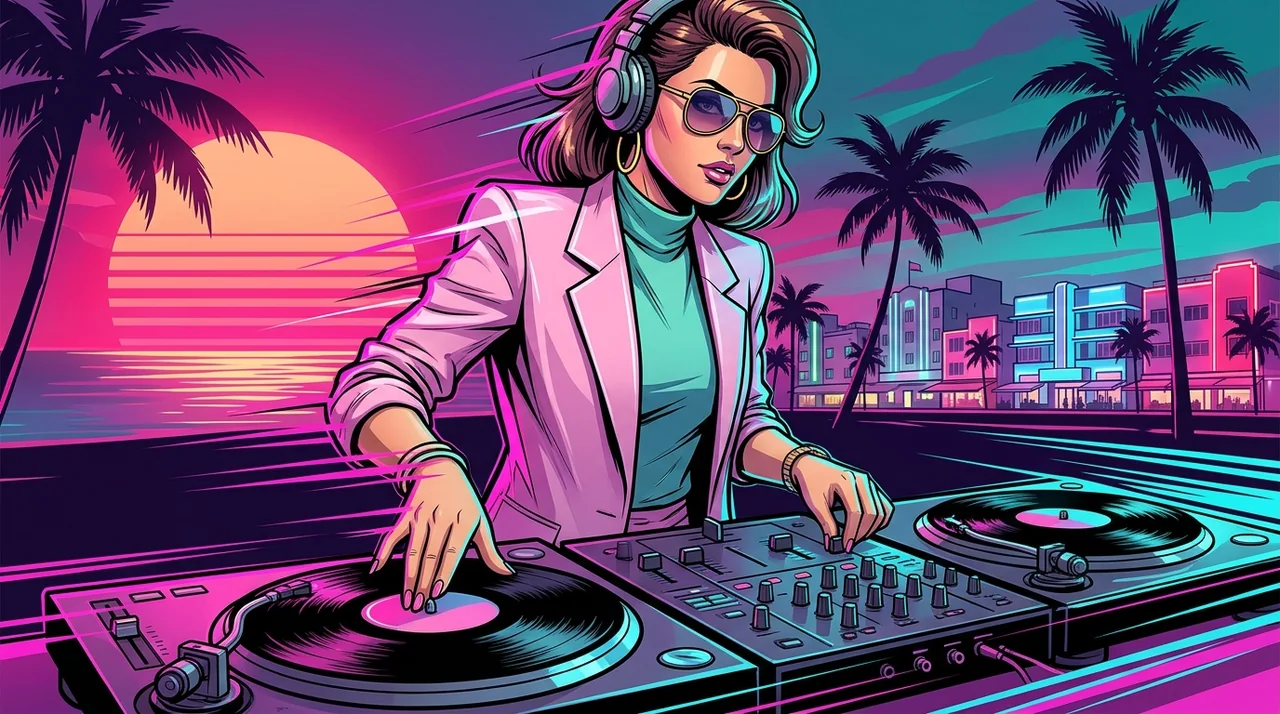
One of the cleanest visual transitions on gaming TikTok and YouTube Shorts takes a bold, stylized GTA 6 loading screen poster and suddenly brings it to life in motion — lights pulsing, camera pushing in, synthwave bass kicking in. Here is how to build the entire transition in under two minutes.
Best results: one adult subject facing the camera in even lighting, head and shoulders visible. Clothed PG-13 game-cinematic scenes only.

This clip: 30 credits (HD 720p · 8s) · 6 HD clips/mo on Pro ($39.90 / 200 cr), or 20 standard 480p clips/mo (10 cr each). Compare all 13 plans
Why the "Loading Screen Comes Alive" Edit Converts So Well
Every gamer on earth is conditioned to watch a GTA loading screen with mild parallax anticipation. When your vertical short opens on a vivid cel-shaded Vice City poster for 1.5 seconds and then suddenly breaks into fluid 24fps AI club motion with a bass drop, it creates an instant visual surprise that pushes average view duration past 100%.
Best of all, this workflow solves a huge problem for creators who do not want to put a raw unstyled webcam selfie online: stylizing the image first gives your Seedance 2.0 video cohesive Miami color harmony right from frame zero.
Step 1: Design Your Vice City Loading Screen Poster (Free)
- Open our browser-local GTA 6 Loading Screen Poster Maker (zero login, zero credits, zero server upload).
- Upload a sharp clothed portrait — or pre-crop it first in the 9:16 Portrait Cropper if you want a centered mobile frame.
- Pick one of three signature Vice City color grades: Coral & Violet Sunset, Miami Cyan & Pink, or Gold Art Deco Night.
- Customize the lower-left character title (e.g.,
VICE VIP CUTSCENE) and district subtitle (e.g.,JACK OF HEARTS · NORTH CROSSTOWN), set the loading bar percentage, and export your HD PNG.
Pro Tip: Animate the Clean Portrait, Use the HUD PNG as Your Intro Card
| Input Sent to Seedance 2.0 | Visual Result | Best Use Case |
|---|---|---|
| Clean Portrait (No Text Border) | Ultra-smooth neon nightclub motion with zero warping HUD borders | Main 5–8s animated dance cutscene in Image-to-Video |
| Full Loading Screen PNG with HUD | Stylized poster-art vibe coming to life (subtle text/frame motion) | Artistic retro poster loops & fan-trailer title cards |
| Hybrid Edit (HUD Intro → Clean Dance) | Razor-sharp loading bar for 1.5s followed by pure edge-to-edge club motion | Highest retention on TikTok, Reels & YouTube Shorts |
Step 2: Animate Your Character Inside Seedance 2.0
Once your loading screen intro PNG is saved, open Image-to-Video Studio (or scroll up to the embedded workbench on this page) and upload your clean portrait:
- Match the Color Grade: If your loading screen used Miami Cyan & Pink, select the Neon VIP Lounge preset so the transition shares identical magenta-teal highlights. If you chose Coral & Violet Sunset, pair it with Ocean Drive Rooftop.
- Add a Transition Note: Type
Smooth transition from stylized Vice City art into dynamic handheld dolly-in nightclub groove, glowing neon reflections, synchronized synthwave dropin the Choreography & Style Note box. - Pick 720p · 8s (30 credits): Eight seconds gives enough runway for the beat drop, a full camera push, and a clean loop cut.
Final Polish for TikTok, Reels & YouTube Shorts
Before publishing your spliced edit, preview your cover inside our free 9:16 Safe-Zone Overlay Checker so the bottom loading bar sits clear of TikTok's caption drawer. Want to batch an entire week of loading-screen-to-video reels? Calculate your lowest per-clip cost in the Seedance 2.0 Credit Calculator or jump straight to Pricing.
Frequently Asked Questions
Should I upload the PNG with the loading bar text into Image-to-Video?
For the sharpest result, use the Loading Screen PNG as a 1.5-second intro card in your editor and upload the clean text-free portrait into Seedance 2.0 Image-to-Video so borders and letters stay razor sharp.
Is the GTA 6 Loading Screen Maker free to use?
Yes. It runs 100% locally in your browser with free watermark-free PNG downloads in both 16:9 and 9:16 formats.
Which Seedance 2.0 preset matches the Coral & Violet Sunset poster best?
Ocean Drive Rooftop matches the warm coral Miami twilight and violet strobe palette seamlessly.
How long does Seedance 2.0 take to animate my portrait?
Most 5s to 8s renders complete in 45–90 seconds with synchronized native audio included.
Are credits refunded if I don't like a render or if it fails?
Failed upstream renders or safety rejections automatically refund your credits immediately. To preview creative ideas cheaply first, test prompts at 480p 5s (10 credits).